Claude Code MCP Plugin

video/to/claude

Drop a screen recording. Scrub the timeline, annotate frames inline. One click — annotated WebPs land in Claude Code as vision input.

stars
forks
MIT License
scroll
🎬
Timeline scrubbing
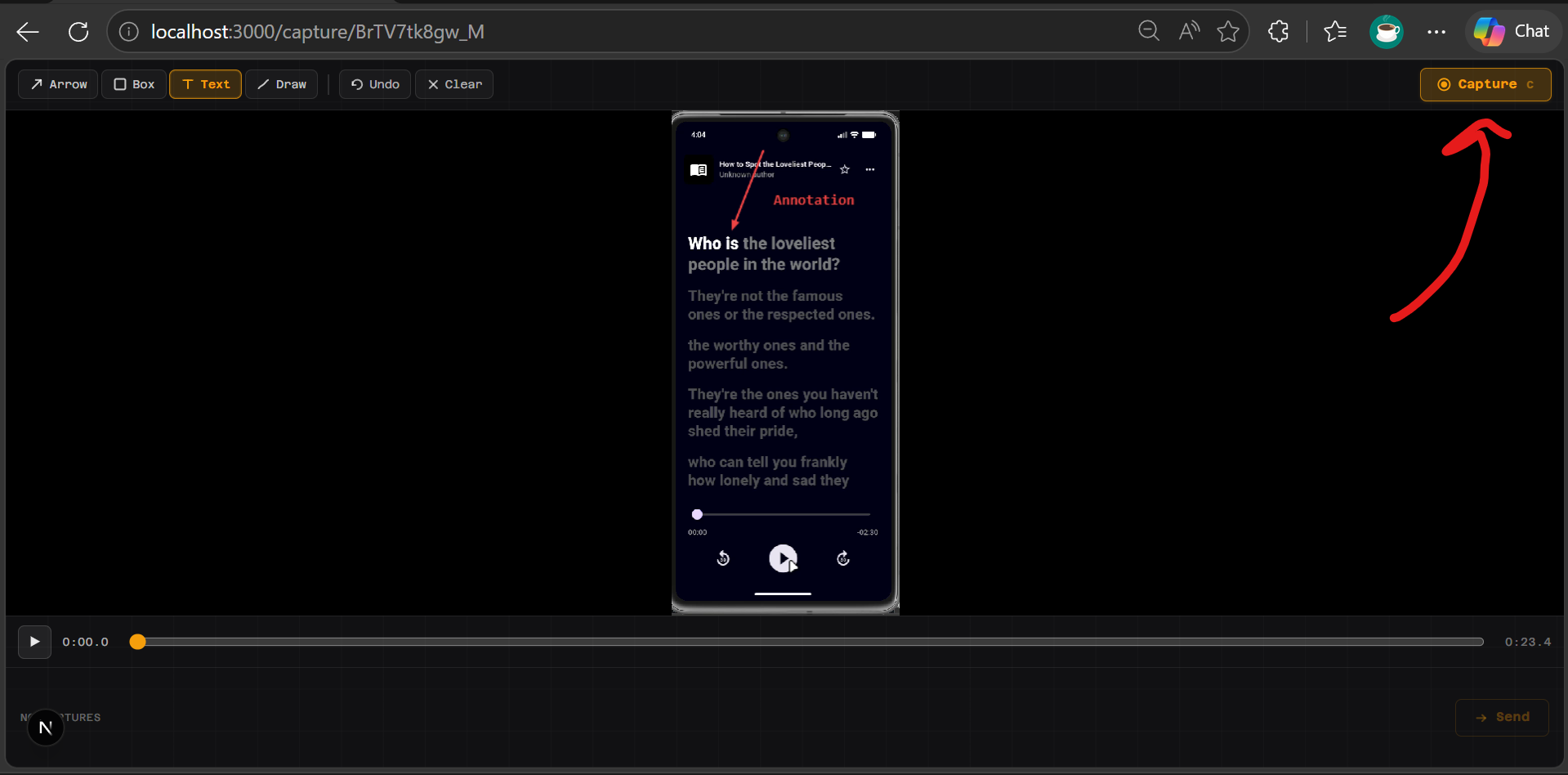
Seek through any video frame-by-frame. Draw annotations directly on the canvas overlay before capturing.
✏️
Inline annotations
Draw arrows, boxes, and highlights on frames. Annotations are baked into the WebP via Sharp + SVG compositing.
🔌
MCP integration
Register once in ~/.claude.json. Type /vtc in Claude Code — the UI opens automatically.
🖼️
Vision-ready WebPs
Every frame encoded to ≤2 MB WebP at ≤960 px wide — exactly within Claude's per-image limits.
ffmpeg + Sharp pipeline
ffmpeg seeks to the exact frame timestamp; Sharp composites SVG annotations and applies quality retry loops.
🏠
100% local
No cloud, no API key, no telemetry. Everything runs on localhost:3000. Your recordings never leave your machine.

Five steps from recording to Claude

The entire flow lives in Claude Code. No separate app to switch to.
Step 01
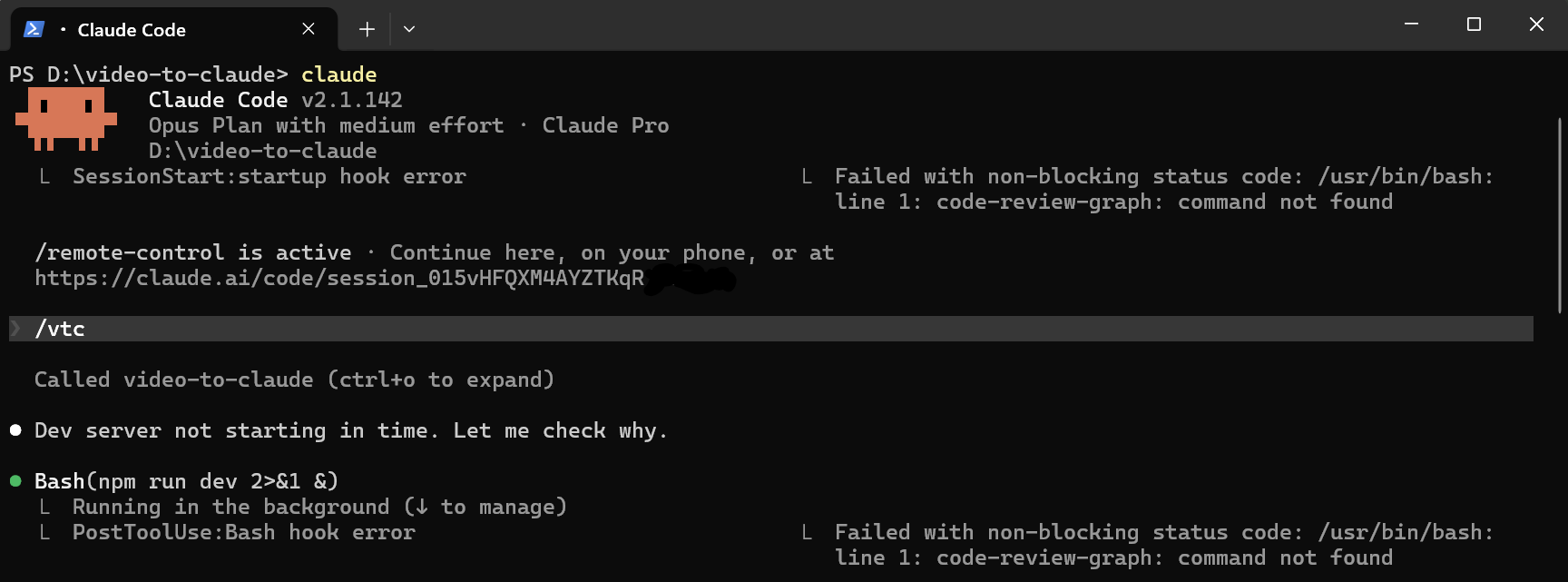
Type /vtc in Claude Code
The MCP server boots the Next.js dev server if it's not running, creates a capture session, and opens the UI in your browser — all from a single slash command.
/vtc command in Claude Code
Step 02
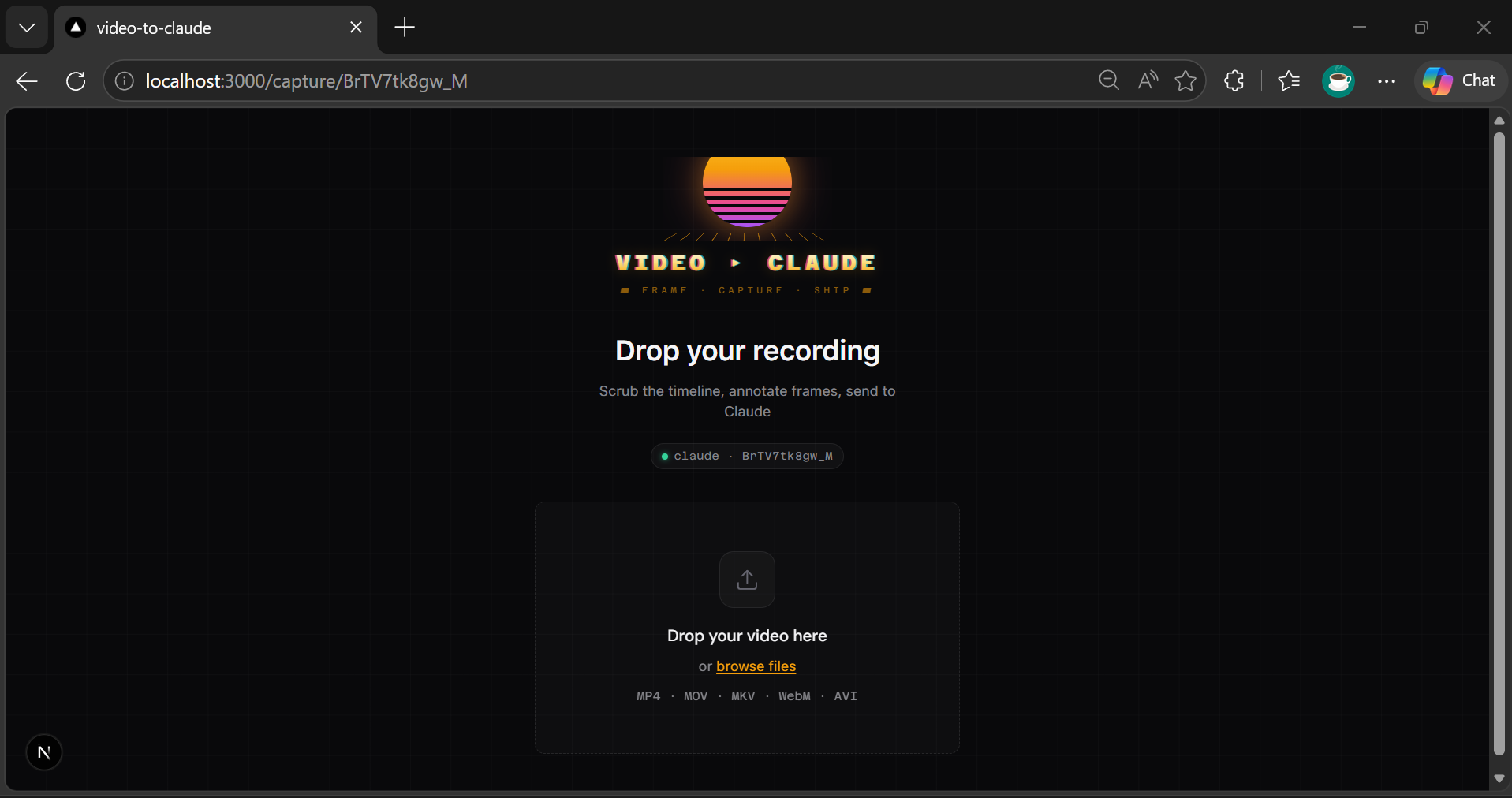
Drop your screen recording
Drag any video file into the upload zone. ffmpeg probes the metadata — duration, fps, resolution — and the timeline player initialises ready for scrubbing.
Upload dropzone
Step 03
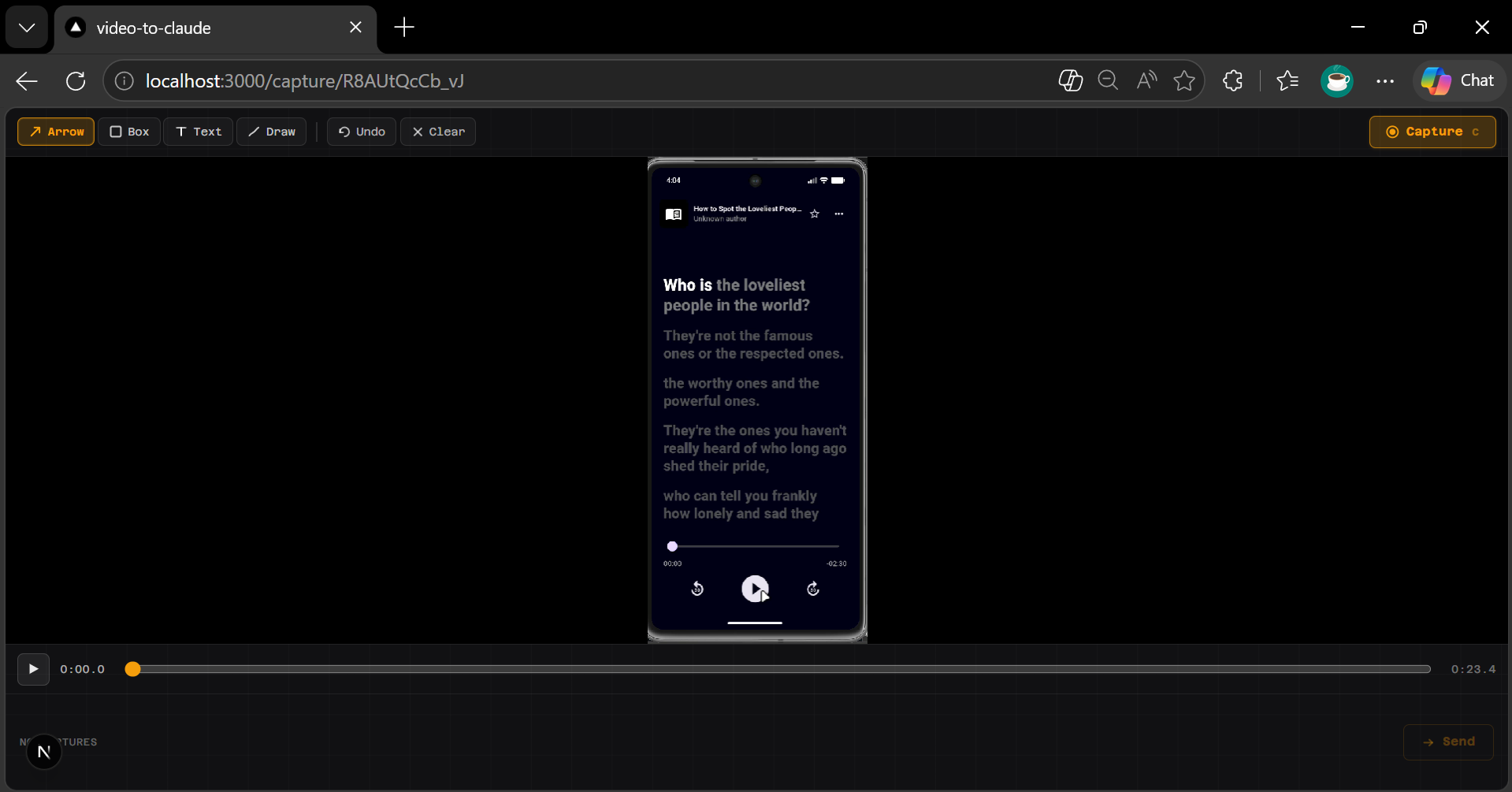
Scrub to the exact frame
Use the timeline slider or arrow keys to land on precisely the moment you want to show Claude. The video previews the frame live as you move.
Timeline scrub
Step 04
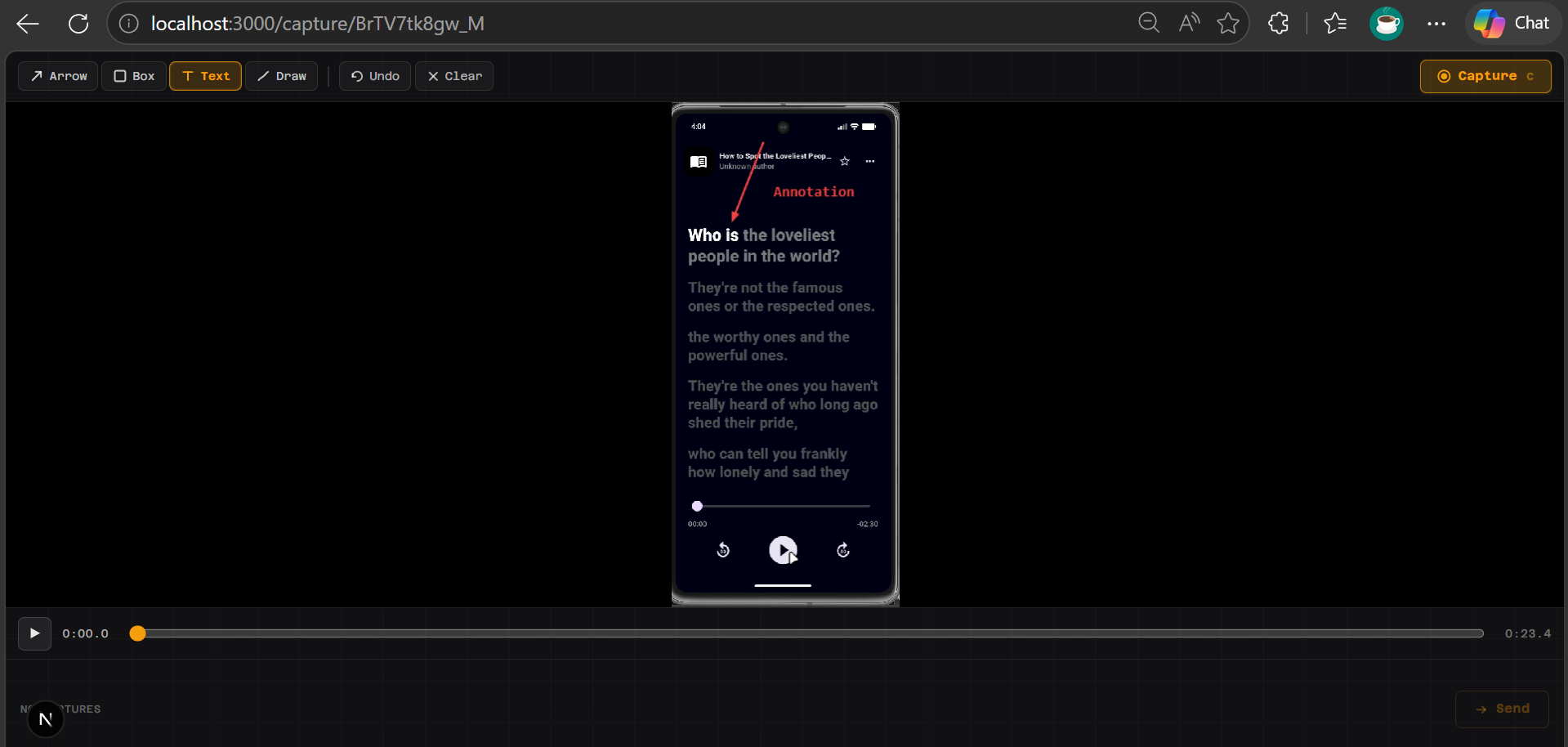
Annotate, then Capture
Draw on the canvas overlay — arrows, boxes, freehand — to highlight what matters. Hit Capture: ffmpeg extracts the frame, Sharp bakes in your annotations as a WebP.
Annotation canvas
Step 05
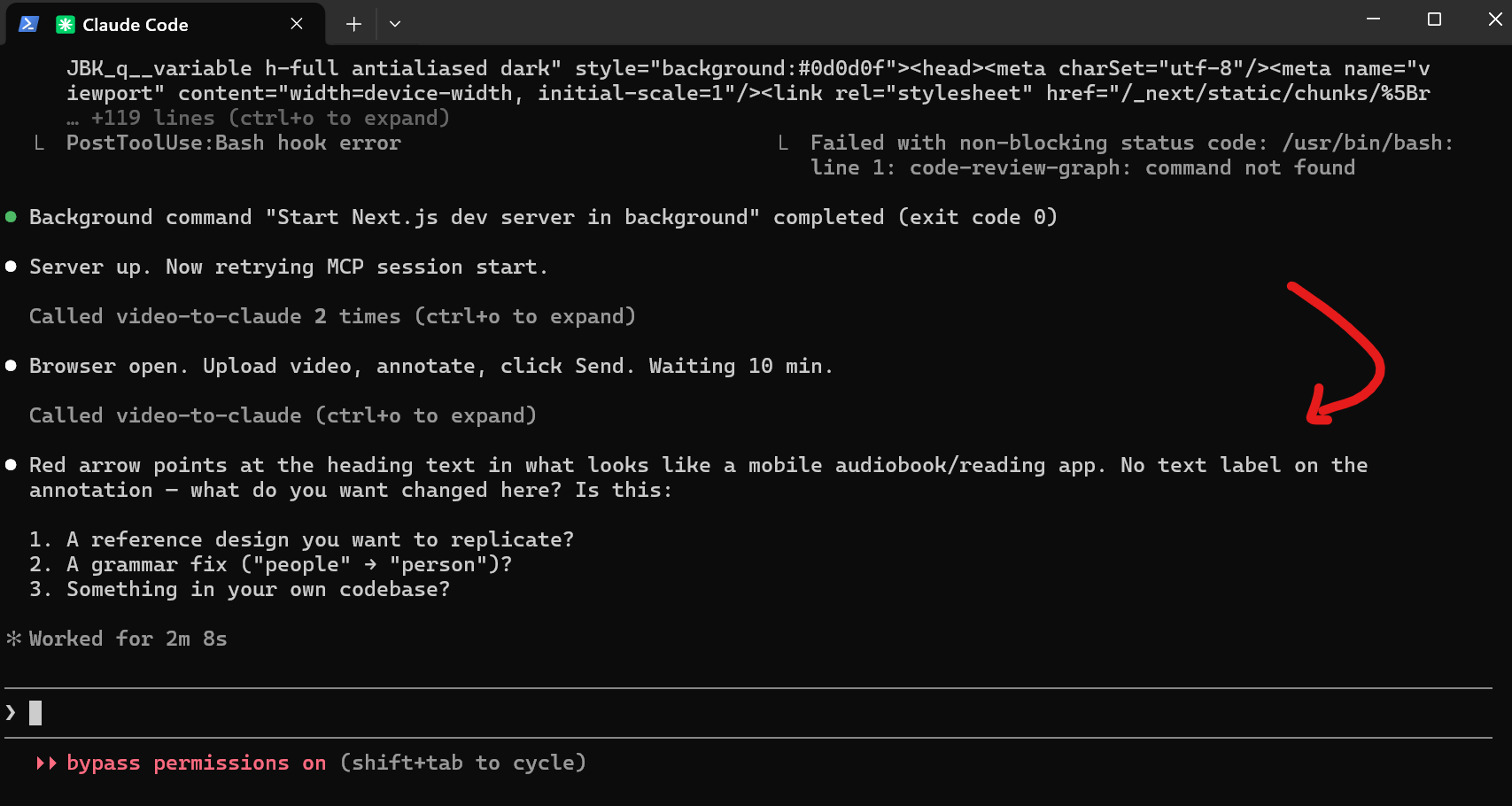
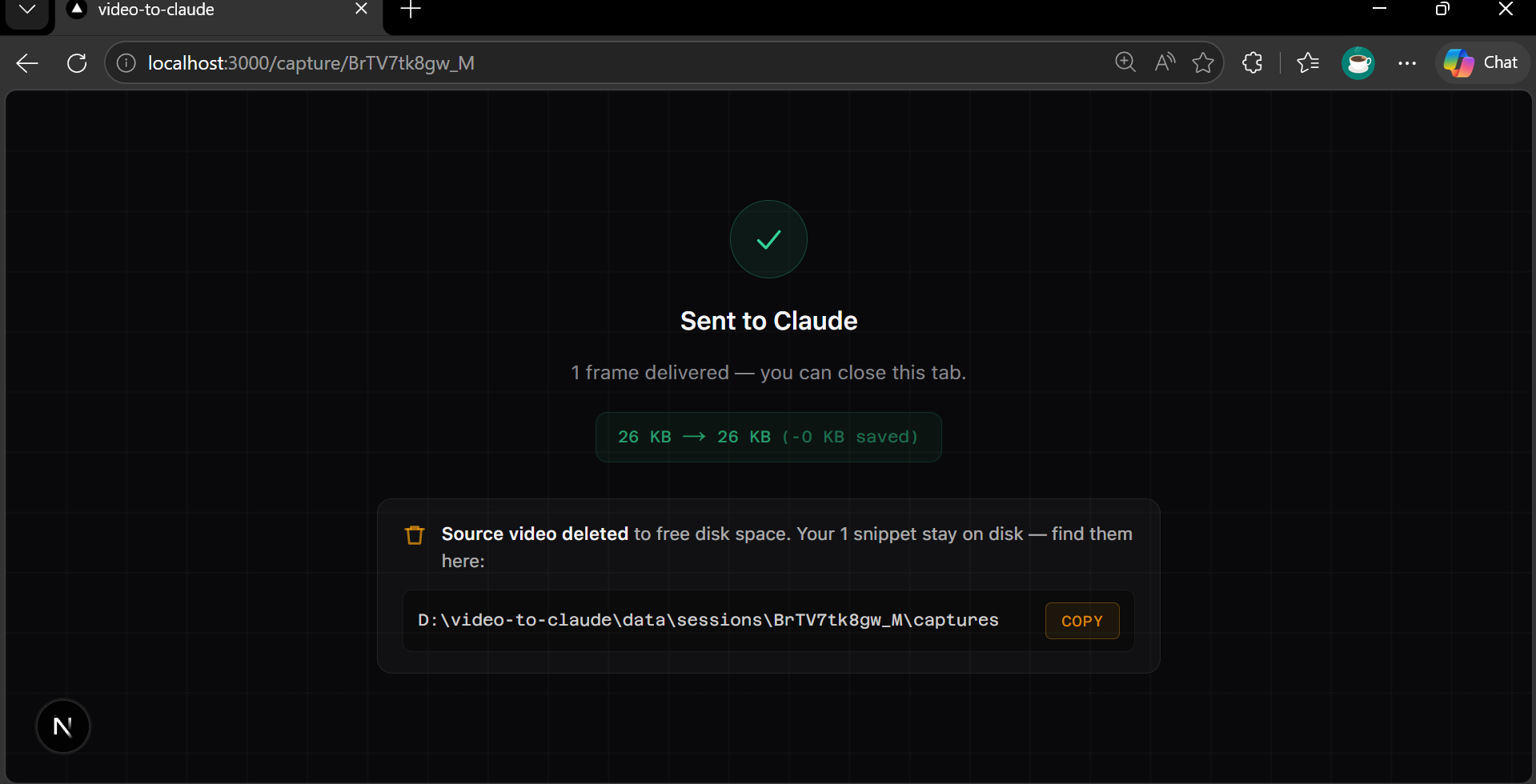
Send — Claude sees it instantly
Click Send. The MCP await_capture tool returns the annotated WebPs as image content blocks, dropped directly into the waiting conversation.
Claude describes the annotated frame

Up in 60 seconds

Node 18+ required. No Python, no Docker, no cloud account.

1 — Clone & install
# clone the repo
git clone https://github.com/AdityaO5/video-to-claude
cd video-to-claude
npm install
npm run mcp:build
2 — Register the MCP server
// ~/.claude.json
{
  "mcpServers": {
    "video-to-claude": {
      "command": "node",
      "args": ["/path/to/mcp/dist/mcp/server.js"]
    }
  }
}

Then type /vtc in any Claude Code session. Done.

Full docs on GitHub